

Documentation Index
Fetch the complete documentation index at: https://guide.cloud.blnkfinance.com/llms.txt
Use this file to discover all available pages before exploring further.
This feature is in private beta. If you want access, please contact Support.
Add a new app
- In the Blnk Cloud dashboard, open Apps from the side navigation (bottom left).
- Click New app on the right side of the Apps page.
This opens the manifest form, where you’ll enter the app details in the next step.
Upload your app manifest
The manifest tells Blnk Cloud how to display, install, and launch your app. Fill in the manifest form with the details below.
For our KYC app, using our routes from the codebase setup step, our manifest looks like this: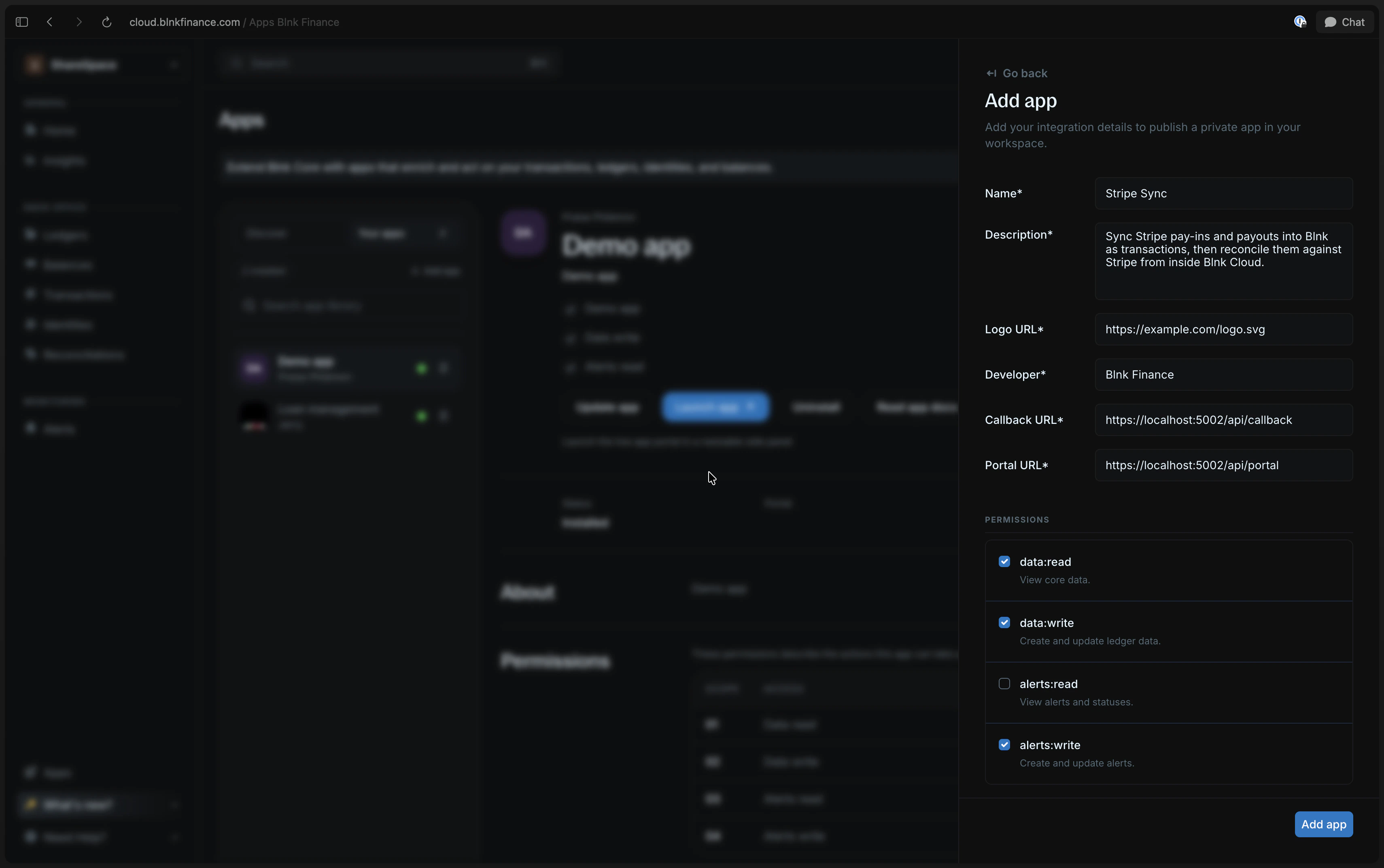
| Field | Description |
|---|---|
| Display name | The name users will see in the Apps library. |
| Description | A short explanation of what your app does. |
| Logo URL | A public URL for your app logo. |
| Developer name | The company, team, or person that built the app. |
| Registration callback URL | The https endpoint Blnk calls when the app is installed or uninstalled. Learn more |
| Portal generator URL | The endpoint Blnk calls to create a short-lived URL for opening the app inside Cloud. Learn more |
| Permissions | The scopes your app needs to work. Learn more |
Make sure that your base URL is accessible from the internet. If localhost, you can use a service like ngrok to create a public URL in place of
localhost:5002.Submit to your workspace
Submit the manifest, and you’re done! The app will be added to your organization’s Apps library.Only team members in your workspace can see and install it on whichever Cloud instances they use there.
Supported permissions
Permissions define what your app can access or change in the selected Cloud instance. Your app can request any combination of these scopes:| Scope | What it allows |
|---|---|
data:read | Read transactions, ledgers, identities, and balances. |
data:write | Create and update ledger data. |
alerts:read | Read alert configurations and events. |
alerts:write | Create and update alert configurations. |
Remember: Users can update the permissions granted during installation. Always read
granted_permissions from the install payload and only use what was granted.| Action | Required permission |
|---|---|
| Read identities | data:read |
| Save KYC metadata | data:write |
| Create review alerts | alerts:write |
Run the example KYC app
Open the demo repository and follow its README to run the KYC example app this documentation is built around.