

Overview
Refer others to Blnk Cloud and earn cash rewards when they sign up. Get 15% cash earnings for every person who signs up using your referral code.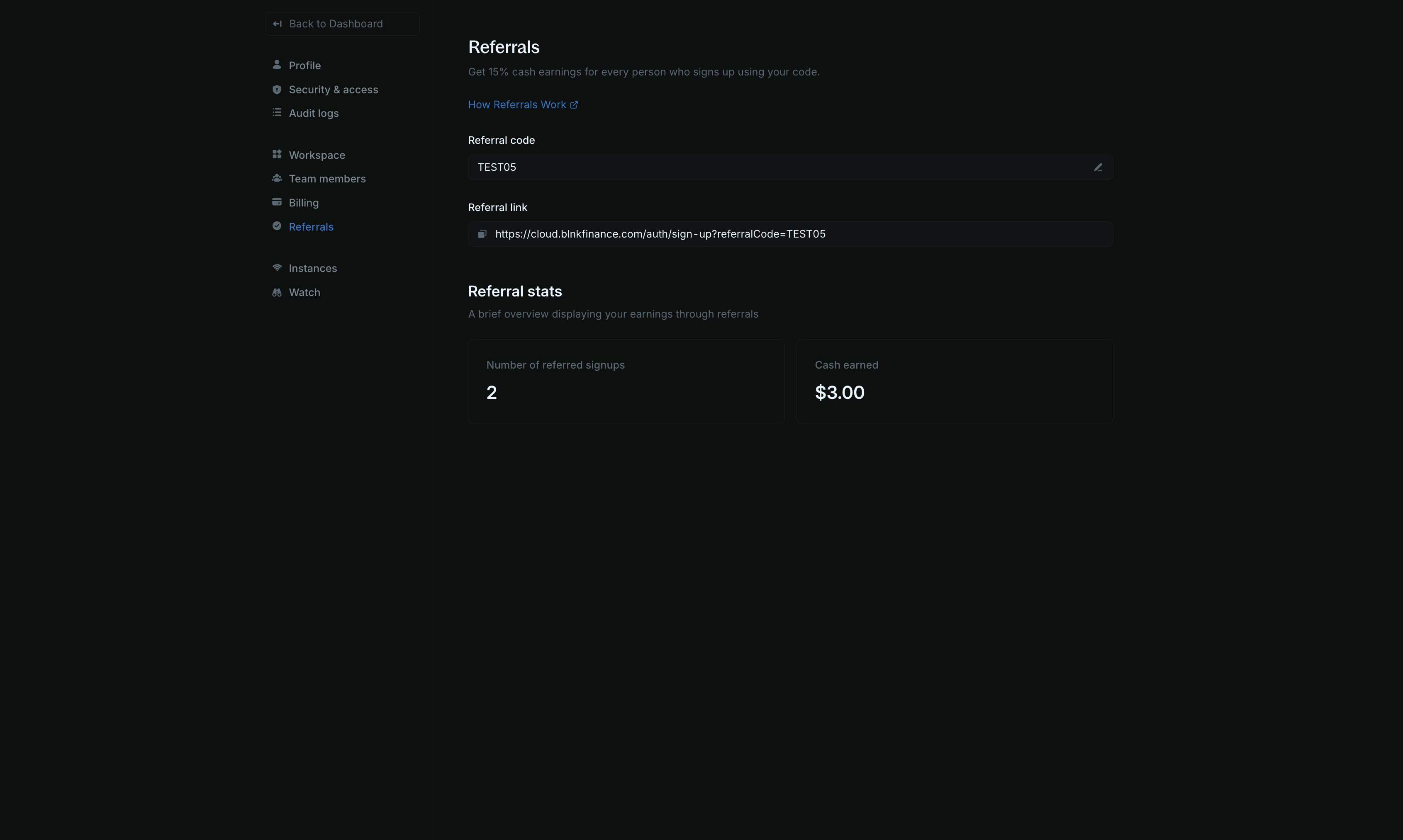
- Go to Settings > Referrals.
- Find your unique Referral code and Referral link on the page. You can edit your referral code if you want to customize it, and copy your referral link using the copy button.
- Share your referral link with friends, colleagues, or anyone who might benefit from using Blnk Cloud.
- When someone signs up using your referral code and becomes a paying customer, you’ll earn commissions on their subscription.
How it works
We pay a 15% commission for up to 12 months for every customer who signs up using your referral link. Your referral stats show:- Referred signups: Total users who signed up using your referral link
- Cash earned: Total commissions earned from eligible referrals
How payouts work
Payouts are currently supported for USD bank accounts only.
- Eligibility: You earn commissions while referred customers remain active on any paid plan.
- Commission period: You receive 15% commission for up to 12 months.
- Monthly payouts: Payouts are processed on the 24th of each month. After processing, it may take 3-4 business days for funds to reflect in your bank account. You can view your upcoming payouts and total earnings on the Referral Settings page.
- Bank account required: To receive payouts, you must set up your bank account.
Setting up your bank account details
Bank account setup and verification are handled securely by Stripe. We never store your bank details.
Add your bank account
On Settings > Referrals, click the option to Manage your account. You’ll be redirected to Stripe Connect to securely set up your account details.
FAQs
What happens if a referred customer cancels their subscription?
What happens if a referred customer cancels their subscription?
Commissions stop when a referred customer cancels their subscription.
What happens to my commissions if I don't set up a bank account?
What happens to my commissions if I don't set up a bank account?
Commissions will accumulate and be held until you set up your bank account.
What if I change my referral code?
What if I change my referral code?
Changing your referral code doesn’t affect existing referrals. All previous referrals linked to your account will continue to count toward your commissions.