Overview
When transactions happen, you usually end up with two sets of records:- Internal records: Your ledger.
- External records: Bank statements, card statements, payment processor statements, etc.
Before you start,
You need to do three things first:- Upload your external data: This is the data you want to compare against your ledger. We support CSV and JSON, but the file must follow our required format for reconciliation to work.
- Set your matching rules: This tells Blnk how to match the two sets of records. For example, you can say that any entries with the same description, amount, and date in both files represent the same transaction and should be matched.
- Define your reconciliation strategy: This tells Blnk how transactions are distributed between the two records. For example, one transaction in your ledger could correspond to one transaction in the external data (one-to-one).
External data
Learn how to prepare your external data for reconciliation in Blnk.
Matching rules
Learn how to configure precise rules for matching your records.
Run a reconciliation
To run a reconciliation: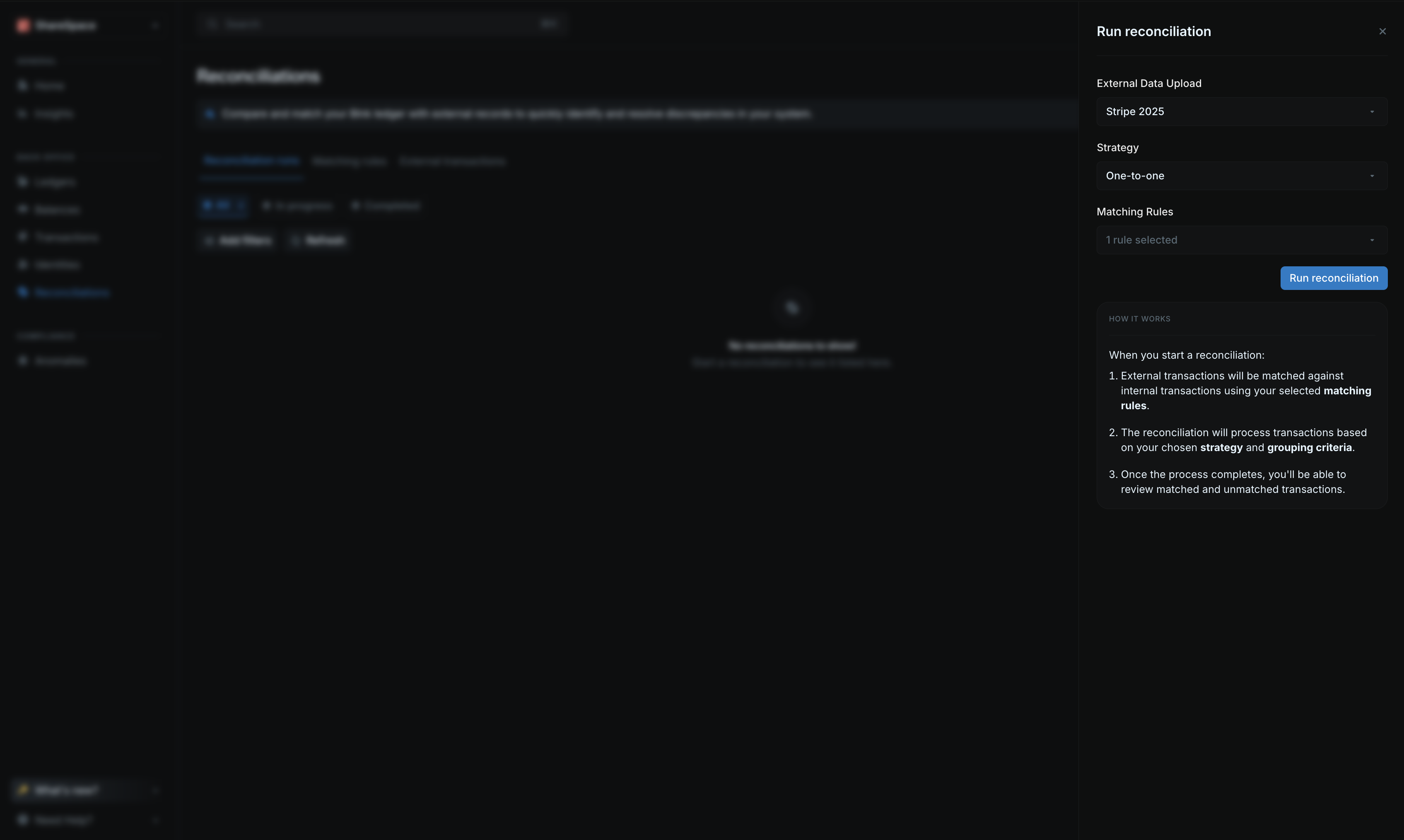
- Go to the Reconciliation page from your sidenav.
- Click on Run reconciliation on the top right corner.
- From the side panel:
- Choose the external data you want to reconcile.
- Pick the matching rule(s) for this reconciliation run.
- Select your reconciliation strategy.
- If not using one-to-one reconciliation strategy, select the grouping criteria.
- Start the reconciliation by clicking Run reconciliation.
View reconciliation details
Once a reconciliation is completed, you can view its results from the reconciliation table.
Summary section
The summary section gives you a quick overview of the reconciliation run.| Field | Description |
|---|---|
| Status | The status of the reconciliation run. |
| Matched transactions | Number of external transactions that were matched to internal transactions. |
| Unmatched transactions | Number of external transactions that were not matched to internal transactions. |
| Started at | The date and time the reconciliation run was started. |
| Completed at | The date and time the reconciliation run was completed. |
| Reconciliation ID | The unique identifier for the reconciliation run. |
| Upload ID | The unique identifier for the external data upload. |
Matched transactions
This section lists an overview of the external transactions matched to internal transactions. Click View ledger transactions to see all of the matched transactions and their individual reconciliation details.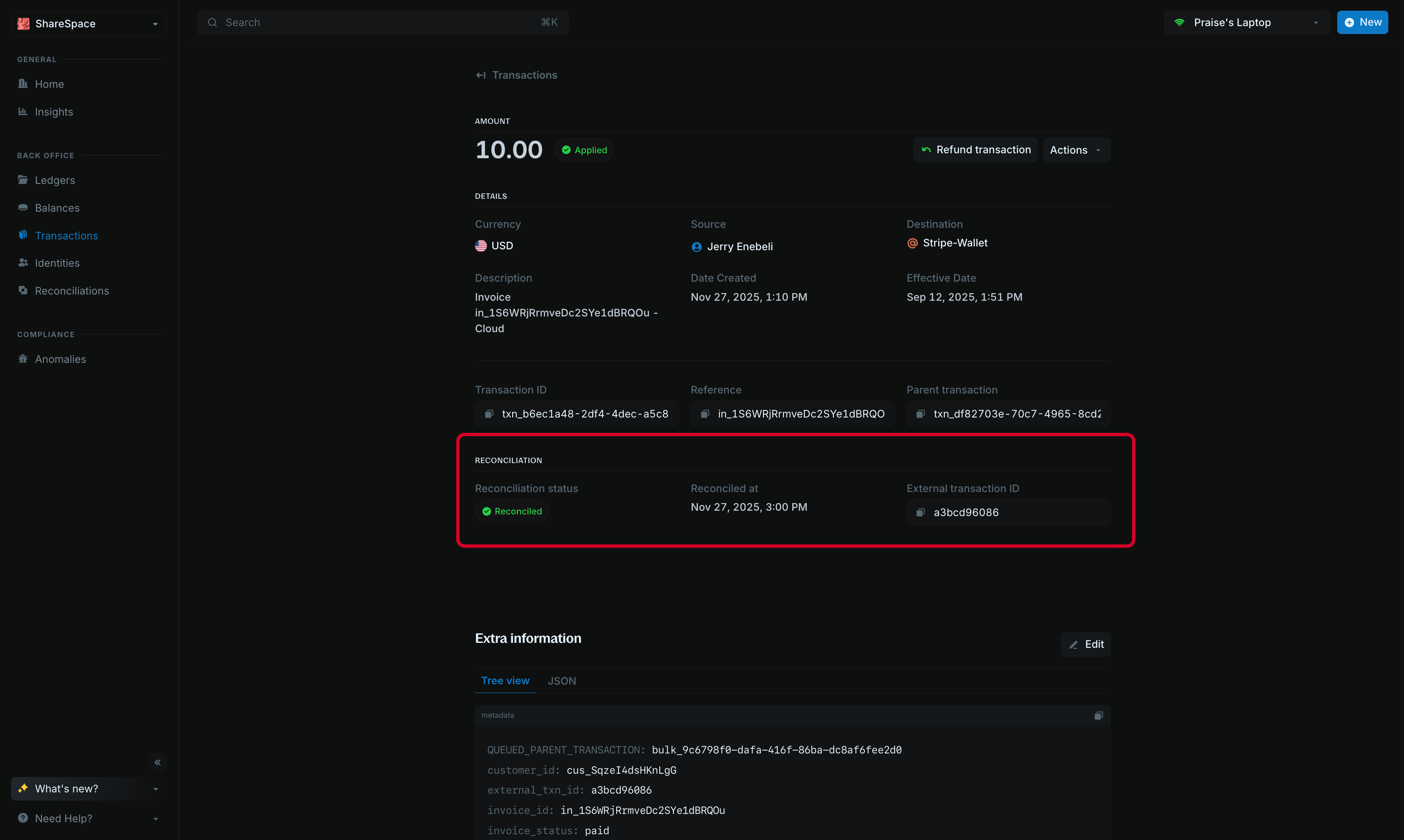
| Field | Description |
|---|---|
external_txn_id | The unique identifier for the external transaction. |
reconciled | Set to true if the transaction has been reconciled. |
reconciled_at | The date and time the transaction was reconciled. |
reconciliation_amount | The amount of the external record that was reconciled. |
reconciliation_id | The unique identifier for the reconciliation run that reconciled the transaction. |
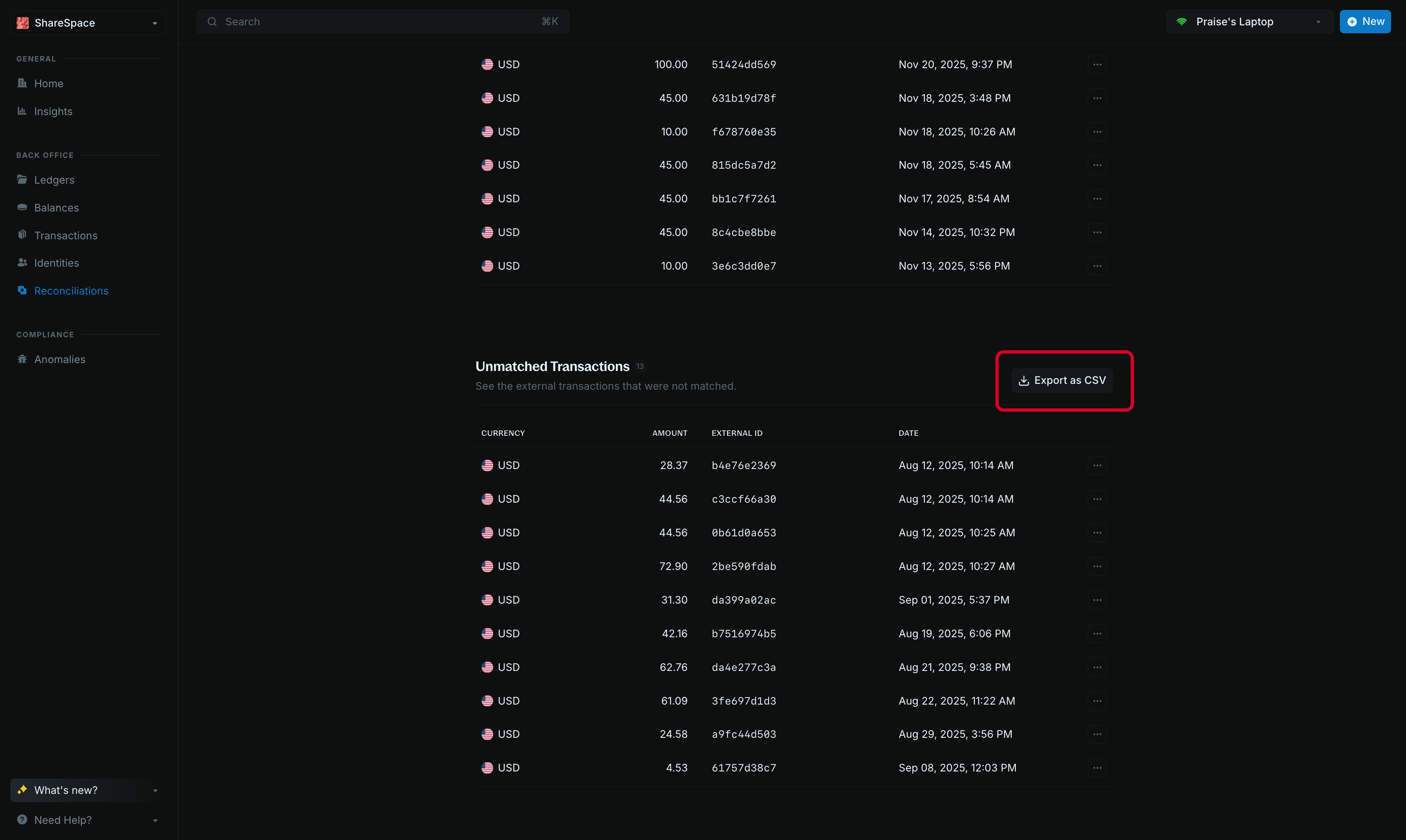
Unmatched transactions
This section lists the external transactions that had no matching internal transaction. Click Export as CSV to download a CSV file of the full list.